Global Average Pooling (For Object Localization)
This notebook is my attempt to deconstruct and improve an object localization technique found in the below links.
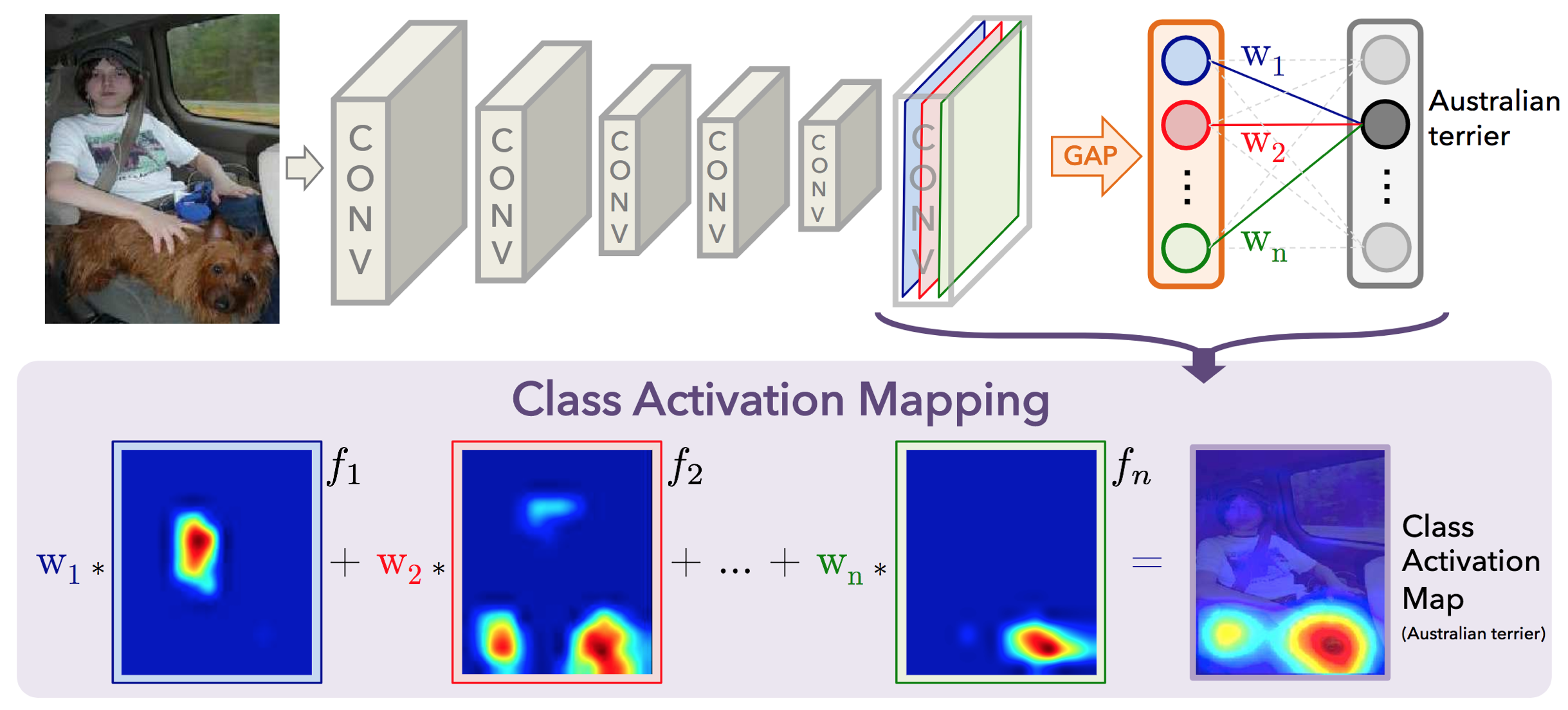
The idea: global average pooling at the end of an image classifier convNet can be used to localize the prediction of the network. (If the models says a dog is in the picture, this shows where the dog is.)
At a high-level, removing the traditional fully connected layers at the end of a network not only reduces the number of parameters, it also brings the feature maps (that show what a convNet is detecting) closer to the class outputs of the network. We can use this to improve our understanding of what features are leading a model to its given prediction.
Blog post: https://alexisbcook.github.io/2017/global-average-pooling-layers-for-object-localization/
MIT research paper(2015): http://cnnlocalization.csail.mit.edu/Zhou_Learning_Deep_Features_CVPR_2016_paper.pdf
GitHUb Implementation: https://github.com/alexisbcook/ResNetCAM-keras
The Idea:
Each of the activation maps in the output ResNet's final convolutional layer acts as a detector for a different feature combination in the image.
Each node in the GAP output corresponds to an activation map detecting a different feature. (one-to-one correspondence)
The weights connecting the GAP layer and output layer encode each activation map's importance to the predicted outcome.
We can sum all of the actvation maps' contribution to the given class prediction by performing a linear combination of all of the activation maps with the weights of the final output layer.
ResNet's final convolutional layer outputs 2048 feature maps of size (7x7). The average pooling layer reduces the feature map dimensions to (1x1x2048) by taking the average of all activations in each feature map (on the height x width dimension).
Walkthrough
import numpy as np
import matplotlib.pyplot as plt
import scipy
import cv2
from keras.preprocessing import image
from keras.applications.resnet50 import preprocess_input, decode_predictions
from keras.models import Model
from keras.applications.resnet50 import ResNet50
Make an Image Loader
- Make sure the image we load up is the correct size and format
def image_loader(img_path):
    #load image to RGB format
    img = image.load_img(img_path, target_size = (224,224))
    x = image.img_to_array(img)
    x = np.expand_dims(x, axis=0)
    # convert RGB to BGR, normalize by subtracting mean image pixel value, return 4D tensor
    return preprocess_input(x)
Get the Relevant ResNet Layers
- Get the output of the last convolutional layer before the GAP layer.
Pull the weights from the final prediction layer. There will be one weight per feature map/activation of the GAP layer.
Build a Keras model off of ResNet that outputs these layers
def get_ResNet():
    """ Returns ResNet Model and all weights of final resnet layer. Resnet Model outputs the activation maps
    of the last convolutional layer as well as the one hot encoded class predictions.
    Output: ResNet_model, all_amp_layer_weights"""
    model = ResNet50()
    #get fixed weights from final prediction layer!
    #since they are fixed we can make these constant and make a localization model much faster
    #come prediction time
    all_amp_layer_weights = model.layers[-1].get_weights()[0]
    ResNet_model = Model(inputs = model.inputs, outputs = (model.layers[-4].output, model.layers[-1].output))
    return ResNet_model, all_amp_layer_weights
Build A Function to Pass an Image Through the Model
- Feed in the loaded image and predict the final class and terminal activation maps.
- Upsample activation maps from (7x7) to (224x224) resolution.
- Matrix multiplication of weights for predicted class and all activation maps.
Output: A heatmap based off of the original image, showing there nodes fired for the predicted class.
def ResNet_CAM(img_path, model, all_amp_layer_weights):
    """
    returns the activation heatmap that  is the same size as the original image and prediction"""


    last_conv_output, pred_vec = model.predict(image_loader(img_path))

    #go from (1x7x7x2048) to (7x7x2048)
    last_conv_output = np.squeeze(last_conv_output)

    #modelprediction idx
    pred = np.argmax(pred_vec)

    #upsampling zooms the np array by a factor of 32 for each axis 32*7 = 224
    mat_for_mult = scipy.ndimage.zoom(last_conv_output, (32, 32, 1), order = 1)

    #get only the weights connecting the prediction unit and the activation map
    amp_layer_weights = all_amp_layer_weights[:, pred]

    #amp_layer_weight dimensions (2048x1)
    #mat_for_mult dimensions (224x224x2048) -> (50176x 2048) squeeze so we can multiply weight vs entire map
    #dot pruduct dim (50176x2048)o(2048x1) = (50176x1)
    #reshape to image size (50176x1) -> (224x224) so we can reshow the activation map as heatmap

    final_output = np.dot(mat_for_mult.reshape((224*224, 2048)), amp_layer_weights).reshape((224,224))

    return final_output, decode_predictions(pred_vec, top =1)
Show the Results
Overlays the original image with the heatmap produced by the above function. The Title of the image is ResNet's top class prediction for that image.
def plot_ResNet_CAM(img_path, ax, model, all_amp_layer_weights):
    im = cv2.resize(cv2.cvtColor(cv2.imread(img_path), cv2.COLOR_BGR2RGB), (224, 224))
    #plot original image
    ax.imshow(im, alpha = 0.9)
    #get activation map and prediction
    CAM, pred = ResNet_CAM(img_path, model, all_amp_layer_weights)
    #overlay class activation map
    ax.imshow(CAM, cmap = "jet", alpha = 0.4)
    ax.set_title("Prediction: " + pred[0][0][1] + "     Confidence: " + str(pred[0][0][2]), size=17)
Testing it Out
I am going to pass the model a picture of my dog and myself.
ResNet_model, all_amp_layer_weights = get_ResNet()
img_path = "Huckleberry.jpg"
fig, ax = plt.subplots(figsize = (8, 8))
CAM = plot_ResNet_CAM(img_path, ax, ResNet_model, all_amp_layer_weights)
plt.axis("off")
plt.show()

First Improvement: Increase the Output Size
We can make the activation map the same size as the original photo by updating the upsampling process. Theoretically we could output the same size image as any photo, regardless of resolution, but the matrix multiplication and upsampling steps quickly make this approach computationally infeasible.
Why this works:
Original Matrix multiplication process:
Activation maps------> Upsampled o Weight Matrix ---->Output Heatmap
(7x7x2048) -------> (224x224x2048) o (2048x1) --------> (224x224x1)
Notice that we can upsample to any resolution as the matrix multiplication only depends on the number of filters (2048)
Below we will fix the output size at (960x 720 x 3) because it matches the shape of my input image.
def ResNet_CAM(img_path, model, all_amp_layer_weights):
    """
    returns the activation heatmap that  is the same size as the original image and prediction"""

    #CHANGED--- set variable for fixed output resolution
    img = cv2.imread(img_path)
    img_height, img_width, channels = 960, 720, 3


    last_conv_output, pred_vec = model.predict(image_loader(img_path))
    last_conv_output = np.squeeze(last_conv_output)
    pred = np.argmax(pred_vec)
    amp_layer_weights = all_amp_layer_weights[:, pred]


    #CHANGED ---- Upsample to above photo size
    #(7,7,2048)x(img_height/7, img_width/7, 1) = (img_height, img_width, 2048)
    mat_for_mult = scipy.ndimage.zoom(last_conv_output, (img_height/7, img_width/7, 1), order = 1)


    #CHANGED
    #dot pruduct dim (img_area x 2048)o(2048 x 1) = (img_area x 1)
    #reshape to image size (img_area x 1) -> (img_height x img_width) so we can reshow the activation map as heatmap

    final_output = np.dot(mat_for_mult.reshape((img_height*img_width, 2048)), amp_layer_weights).reshape((img_height,img_width))
    return final_output, decode_predictions(pred_vec, top =1)

def plot_ResNet_CAM(img_path, ax, model, all_amp_layer_weights):
    im = cv2.cvtColor(cv2.imread(img_path), cv2.COLOR_BGR2RGB)
    #plot original image
    ax.imshow(im, alpha = 0.9)
    #get activation map and prediction
    CAM, pred = ResNet_CAM(img_path, model, all_amp_layer_weights)
    #overlay class activation map
    ax.imshow(CAM, cmap = "jet", alpha = 0.4)
    ax.set_title("Prediction: " + pred[0][0][1] + "     Confidence: " + str(pred[0][0][2]), size=14)
Test
ResNet_model, all_amp_layer_weights = get_ResNet()
img_path = "Huckleberry.jpg"
fig, ax = plt.subplots(figsize = (8, 8))
CAM = plot_ResNet_CAM(img_path, ax, ResNet_model, all_amp_layer_weights)
plt.axis("off")
plt.show()

Last Improvement: Heatmaps for many Classes
- Implement functionality to allow mapping of the nth most likely class categories.
def ResNet_CAM(img_path, model, all_amp_layer_weights, chosen_class = 1):
    """
    returns the activation heatmap that  is the same size as the original image and prediction"""

    img = cv2.imread(img_path)
    img_height, img_width, channels = 960, 720, 3
    last_conv_output, pred_vec = model.predict(image_loader(img_path))
    last_conv_output = np.squeeze(last_conv_output)

    #zoom feature maps to fixed resolution of Original image
    mat_for_mult = scipy.ndimage.zoom(last_conv_output, (img_height/7, img_width/7, 1), order = 1)


    #CHANGED --- returns indices that would sort the pred_vec array (last = largest)
    #pred is the idx of the chosen_class largest prediction
    pred_idx = np.argsort(pred_vec)
    pred  = pred_idx[-1][-chosen_class]

    #gets weight of only the unit corresponding to the chosen_class largest prediction class
    amp_layer_weights = all_amp_layer_weights[:, pred]

    final_output = np.dot(mat_for_mult.reshape((img_height*img_width, 2048)), amp_layer_weights).reshape((img_height,img_width))

    return (final_output, decode_predictions(pred_vec, top =chosen_class)[0][chosen_class-1][1], decode_predictions(pred_vec, top =chosen_class)[0][chosen_class-1][2])


def plot_ResNet_CAM(img_path, model, all_amp_layer_weights, chosen_class = 1):
    #read in image convert to format
    im = cv2.resize(cv2.cvtColor(cv2.imread(img_path), cv2.COLOR_BGR2RGB),(720,960))
    #get activation map and prediction
    prediction_pool  = ResNet_CAM(img_path, model, all_amp_layer_weights, chosen_class = chosen_class)

    plt.figure(figsize = (10,10))
    plt.imshow(im, alpha = 0.9)
    plt.imshow(prediction_pool[0], cmap = "jet", alpha = 0.4)
    plt.title("Prediction: " + prediction_pool[1] + "     Confidence: " + str(prediction_pool[2]), size=14)
    plt.axis("off")
    plt.show()
Final Tests
ResNet_model, all_amp_layer_weights = get_ResNet()
img_path = "Huckleberry.jpg"
CAM = plot_ResNet_CAM(img_path, ResNet_model, all_amp_layer_weights, chosen_class = 1)
CAM = plot_ResNet_CAM(img_path, ResNet_model, all_amp_layer_weights, chosen_class = 2)


Another Image
ResNet_model, all_amp_layer_weights = get_ResNet()
img_path = "huckAmy.jpg"
CAM = plot_ResNet_CAM(img_path, ResNet_model, all_amp_layer_weights, chosen_class = 1)
CAM = plot_ResNet_CAM(img_path, ResNet_model, all_amp_layer_weights, chosen_class = 2)


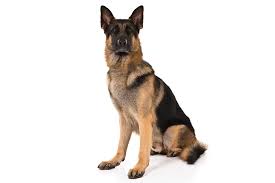
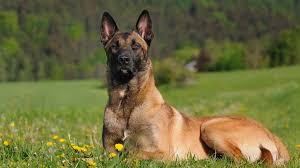
Malinois
<
Leonberg
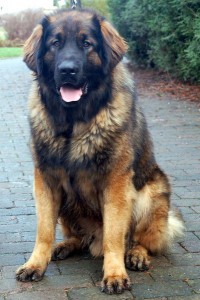
BloodHound
<